AIA-Style G702 & G703 Pay Application Software That Helps Prevent Rejections
Stop fighting spreadsheets, mismatched totals, retainage mistakes, and missing backup. PayAppPro helps subcontractors, GCs, and billing teams create professional, organized AIA-style pay applications based on the commonly used G702 and G703 formats.
See how AIA billing software simplifies the entire process →
PayAppPro is an independent software product and is not affiliated with, endorsed by, or sponsored by the American Institute of Architects (AIA). It generates AIA-style documents based on commonly used formats for workflow and submission purposes.
Used by subcontractors, general contractors, and construction accounting teams that want faster billing, cleaner documentation, and fewer “please revise and resubmit” emails. Read why teams choose PayAppPro →
Find the Right Pay Application Workflow
Whether you are replacing spreadsheets, building your first Schedule of Values, reviewing a sample package, or connecting billing to accounting, these are the fastest paths into PayAppPro.
How PayAppPro Works
Three simple steps to create pay applications that follow the structure reviewers expect from G702 and G703 billing.
1. Set Up the Job
Add project information, contract values, Schedule of Values, retainage terms, stored materials, and prior billing details.
2. Track the Current Billing
Update work completed, materials presently stored, approved change orders, notes, signatures, and supporting documentation.
3. Export and Send
Download clean AIA-style PDF pay applications and related files that are easier for GCs, owners, and reviewers to follow.
Want the full workflow breakdown? See all PayAppPro features →
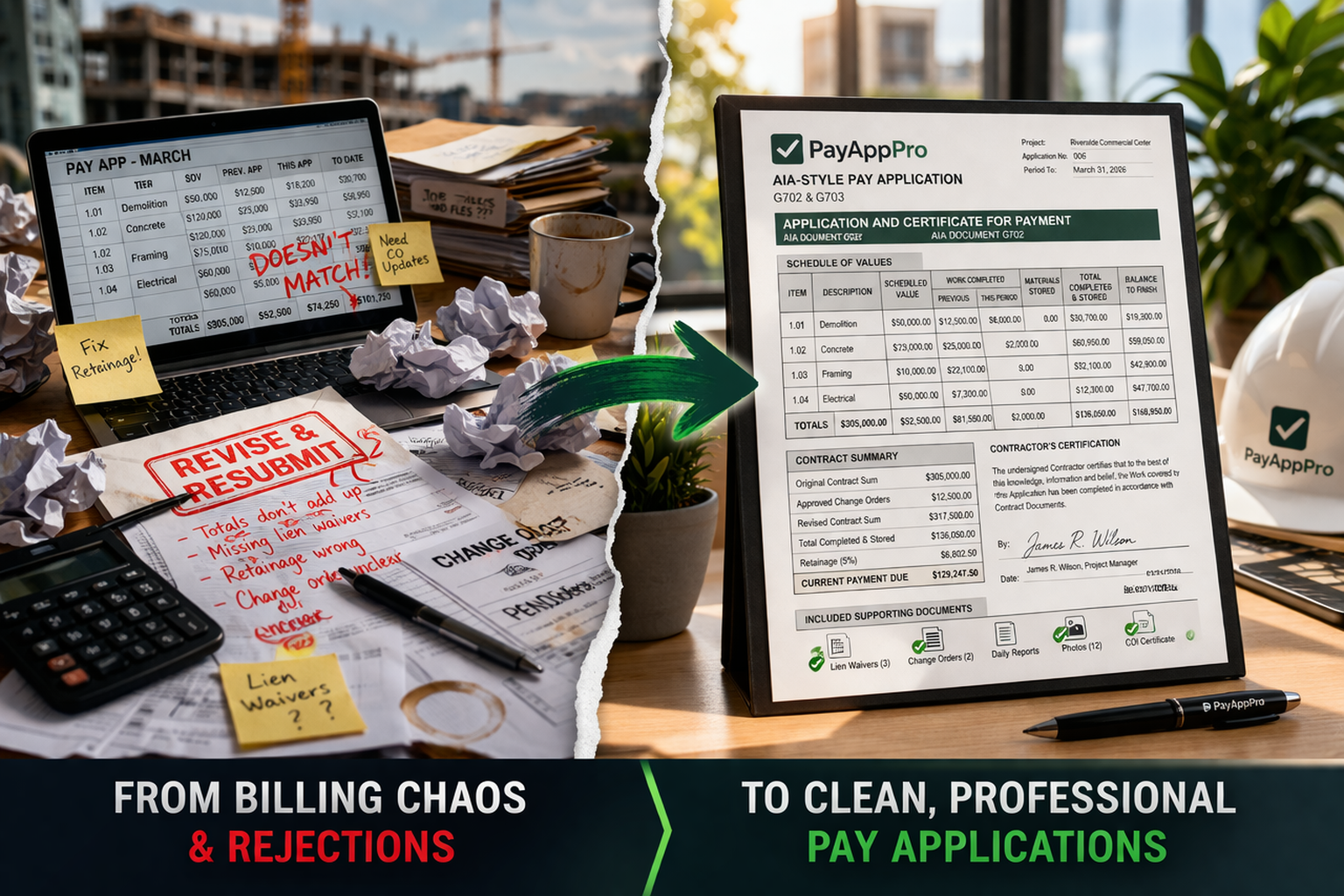
Construction Billing Gets Messy Fast
A lot of pay app problems are not huge legal issues or contract disputes. They are simple operational messes that slow down billing:
- Old spreadsheet formulas that no one trusts
- Continuation sheet values that do not match the cover sheet — a common issue in G702 and G703 billing
- Retainage and stored materials handled inconsistently
- Change orders mixed in without clear status
- Backup files scattered across email threads and phones
What PayAppPro Helps You Do
- Create cleaner AIA-style G702 / G703 pay app packages
- Keep SOV, retainage, and cumulative billing more organized
- Track stored materials and documentation in one place
- Export professional PDF and CSV outputs
- Cut down on avoidable “revise and resubmit” headaches
Get Fewer Pay Apps Rejected
If your pay application gets kicked back, payment usually gets pushed back with it. These quick guides cover common reasons AIA-style pay applications get rejected and how to fix them.
Common reasons pay apps get kicked back
- Cover sheet totals do not match the continuation sheet
- SOV does not match the approved version
- Retainage is inconsistent from one period to the next
- Unapproved change orders are included
- Required lien waivers or backup docs are missing
Why Subcontractors and GCs Choose PayAppPro
Everything you need to create accurate, professional AIA-style pay applications without buying a huge construction platform.
Want the broader overview? See how AIA billing software is designed to streamline pay applications →
AIA-Style G702 / G703 Pay App Builder
Build pay applications online using layouts and calculations modeled after the commonly used G702 and G703 formats.
Clean PDF + CSV Exports
Generate professional PDFs for submission and CSV exports for reporting, reconciliation, and accounting visibility.
Files, COIs, Notes & Signatures
Keep backup documentation, insurance / COI files, digital signatures, images, and notes tied to each pay app.
SMS Field Notes & Images
Capture jobsite notes and supporting images so backup is easier to find when it is time to bill.
Stored Materials Ledger + Retainage
Track stored materials across pay apps and keep retainage and billing history more consistent month to month.
QuickBooks Online Integration
Keep QuickBooks AIA billing aligned with your accounting workflows without forcing QuickBooks Online to handle the entire pay application process.
Plans That Match How You Bill
Whether you need one pay app right now or you bill across multiple projects every month, PayAppPro has a plan that fits.
- One-Time Package – generate one complete AIA-style pay app package from $7.99.
- SMB – for smaller subcontractors running regular pay apps.
- TEAM – for growing teams with more projects, users, and files.
- PRO – for busy subcontractors who live in billing every month.
No sales calls, no long implementation cycle, and no bloated enterprise platform required. See full pricing →
Why PayAppPro Instead of a Big System?
Large construction platforms are often built around big-company workflows, bigger price tags, and longer setup time. PayAppPro focuses on what many teams actually need: cleaner AIA-style pay applications, better organization, and a faster path to submission.
Popular Resources
Learn more about AIA-style billing, construction billing workflows, QuickBooks integration, retainage, Schedule of Values management, and software comparison options.
PayAppPro FAQs
Quick answers for contractors comparing pay application software, spreadsheets, and larger construction platforms.
What does PayAppPro do?
PayAppPro helps contractors create AIA-style pay application packages online, including G702/G703-style billing workflows, SOV tracking, retainage, stored materials, approved change orders, backup documents, and PDF exports.
Is PayAppPro affiliated with AIA?
No. PayAppPro is an independent software product and is not affiliated with, endorsed by, or sponsored by the American Institute of Architects. It creates AIA-style documents based on commonly used construction billing formats.
Can PayAppPro help reduce pay application rejections?
PayAppPro is designed to reduce avoidable pay application problems by helping teams keep SOV values, retainage, stored materials, change orders, supporting files, and exported PDFs organized before submission.
Construction billing vs AIA billing?
Construction billing software is a broad category for invoicing, progress billing, accounting, and project billing. AIA billing software is more specialized around SOVs, retainage, stored materials, and G702/G703-style pay applications.
Ready to Build a Cleaner Pay App Package?
Create, review, and download pay applications based on G702/G703-style billing workflows with less manual cleanup and fewer avoidable mistakes.
One-time packages start at $7.99. Monthly plans are available for ongoing billing. Every new customer can also schedule a free 20-minute Zoom walkthrough.